Security Alert Advisory - Two Certificates issued by eMudhra
October 28th 2026
Dear Partners/Customers,
Recently, there have been a few security alerts related to Java and PHP.
As for PHP related alerts, these vulnerabilities DO NOT affect Norming Resource Manager, because Resource Manager does not use PHP.
As for Java related alerts, if you're using certificate emsigneccrootcag3 or comodoaaaca issued by eMudhra, which may cause a Java security vulnerability, CVE-2026-91403. This vulnerability has a CVSS 3.1 score of 9.1 (Critical) and may be remotely exploitable without authentication.
Oracle just offically released(Oct 27th 2026) the security updates to fix this vulnerability, and Norming has included the updated Java version in the following Resource Manager installation packages:
- Resource Manager 2024 PU2
- Resource Manager 2025 PU2
- Resource Manager 2026 PU1
To the best of our knowledge, internet certificates are part of a hierarchical trust system. Although you may not use the two certificates mentioned above directly, they may still be indirectly referenced as part of a certificate chain. Therefore, the safest approach is to apply the security updates by installing the above latest installers.
Or if you don't want to re-install the whole web application, you can follow the steps in the following Manual Resolution to manually fix this vulnerability:
Manual Resolution
Oracle provides a manual method to block the affected certificates:
Step 1, Download the certificate file provided by Oracle via the link below:
https://ops.java/windows/blocked.certs
Step 2, Rename the downloaded file to:
blacklisted.certs
Step 3, Replace the existing file located at:
Norming Resource Manager\OpenJRE\lib\security\blacklisted.certs
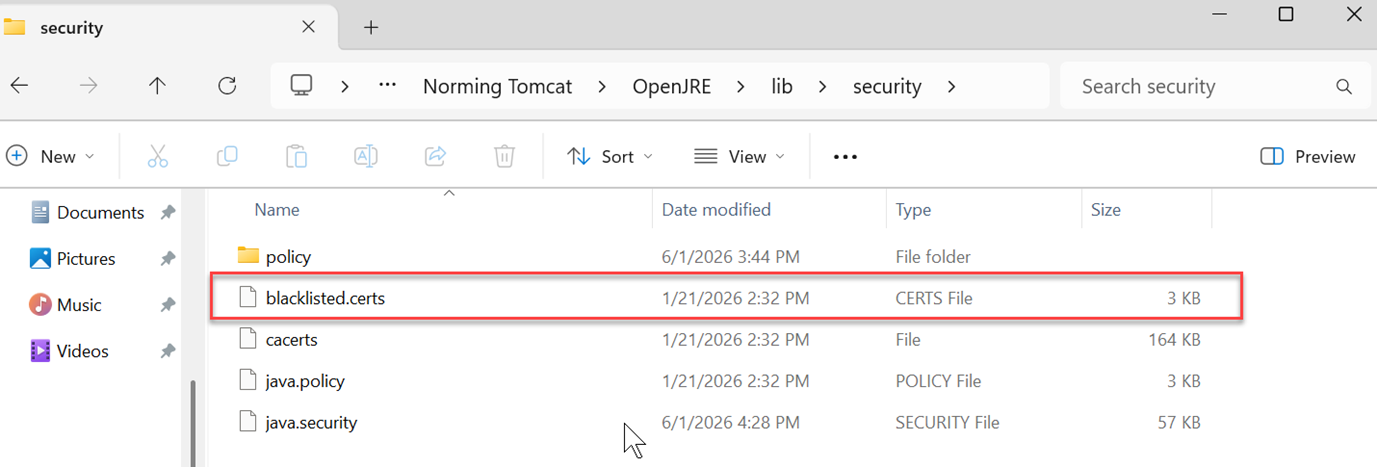
Step 4, Restart the Resource Manager/Tomcat service after replacing the file to ensure the changes take effect.
Notes:
1. Back up the existing certificate file (blacklisted.certs)before making any changes.
2. If the existing blacklisted.certs file contains any customer-specific entries, please keep a backup of the existing file and re-add those entries to the new file after downloading the updated version.