September 29 2026
Dear Partners,
Thanks for your continued support of Norming solutions.
We are pleased to announce the release of Norming Resource Manager 2026 PU1, which is now compatible with Sage 300 2027.
This release introduces several improvements and new features, including enhanced UI loading performance for backend transaction List and Entry screens, an enhanced password policy for ESS users, and new features and enhancements across AP Automation, PO Invoice Automation, Sales Quotation, and A/P Payment Requisition.
Please find below the detailed release highlights and enhancements.
Part I - Improved UI Loading Performance
Significantly improved the UI loading speed of the following Back-End Transactions (List and Entry screens), particularly when handling large volumes of data.
● Expense Report ● AP Payment Requisition
● Purchase Requisition ● Sales Quotation
● PO Receipt Requisition ● Item Usage Requisition
● PO Invoice Requisition ● IC Transfer Requisition
● AP Invoice Requisition ● AR Invoice Requisition
Part II - New Features
AP Automation
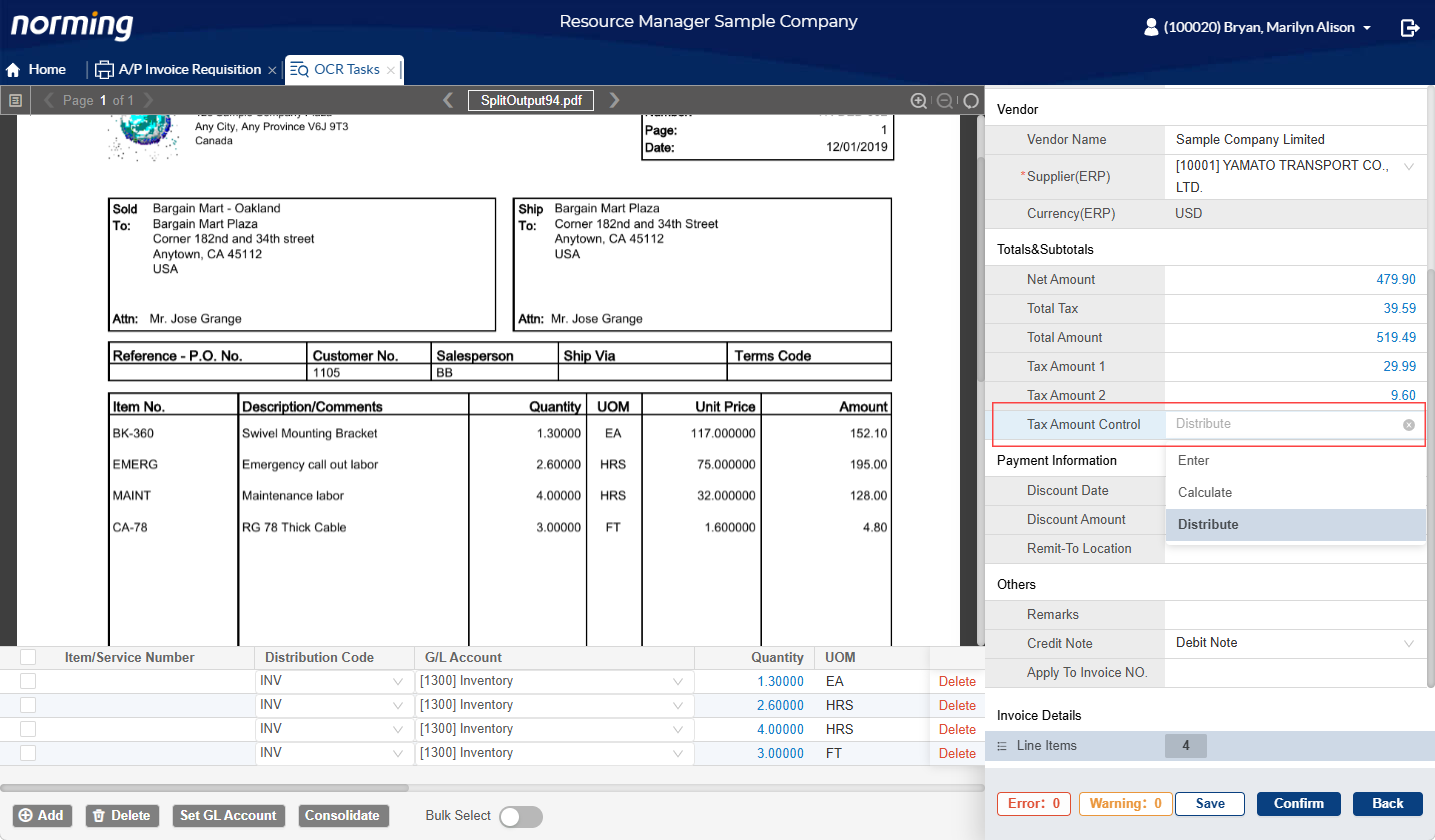
1. Added 'Tax Amount Control' Option
Added the 'Tax Amount Control' option to the AP Automation OCR Confirmation screen, allowing users to specify how the tax amount should be maintained:
Calculate - The system automatically calculates the tax amount.
Enter - Users manually enter the tax amount.
Distribute - Users enter the total tax amount, and the system automatically distributes it across the invoice details.
2. Currency Validation During Invoice Confirmation
Added currency validation to the invoice confirmation process.
An invoice can only be confirmed and pushed to the R/M Web AP Invoice Requisition for approval if the captured currency matches the vendor's currency.
3. Automatic Invoice Distribution Based on Distribution Set
When 'Distribution Set' is selected as the 'Distribute By' option in the Sage 300 A/P Vendor profile, the system automatically
generates invoice details based on the Distribution Set configuration upon clicking the 'Confirm' button.
4. Enhanced G/L Account Auto-Matching
Enhanced the G/L Account auto-matching capability to remember the mapping between vendor item descriptions and G/L Accounts. When capturing
new invoices, the system automatically populates the corresponding G/L Account in the invoice details based on the saved mappings.
PO Invoice Automation
Support for Additional Cost Invoices from Different Vendors
Enhanced PO Invoice Automation to support capturing additional cost invoices from vendors other than the PO vendor. Previously, only
additional cost invoices from the same vendor as the PO were supported.
Sales Quotation
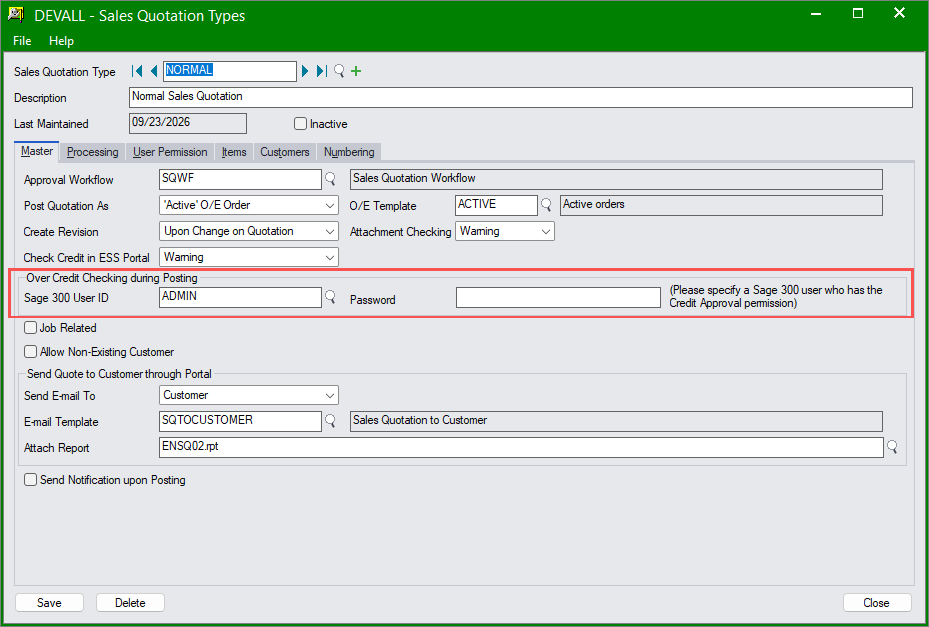
1. Sage 300 User Account Configuration for Over-Credit Checking
Added the ability to maintain Sage 300 user account information in Sales Quotation Types to support over-credit checking when generating
Sage 300 O/E order entries.
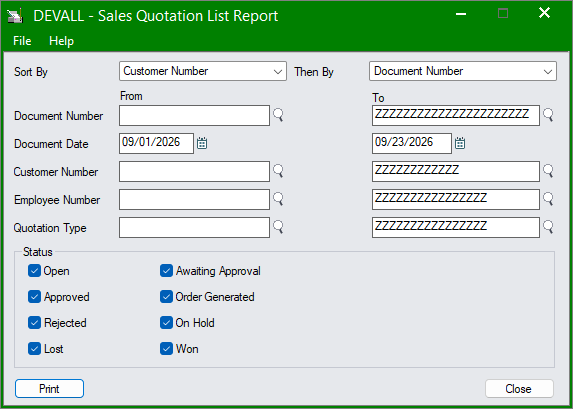
2. Added the Sales Quotation List Report.
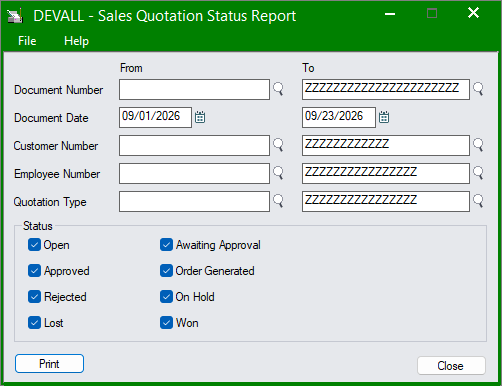
3. Added the Sales Quotation Status Report.
A/P Payment Requisition
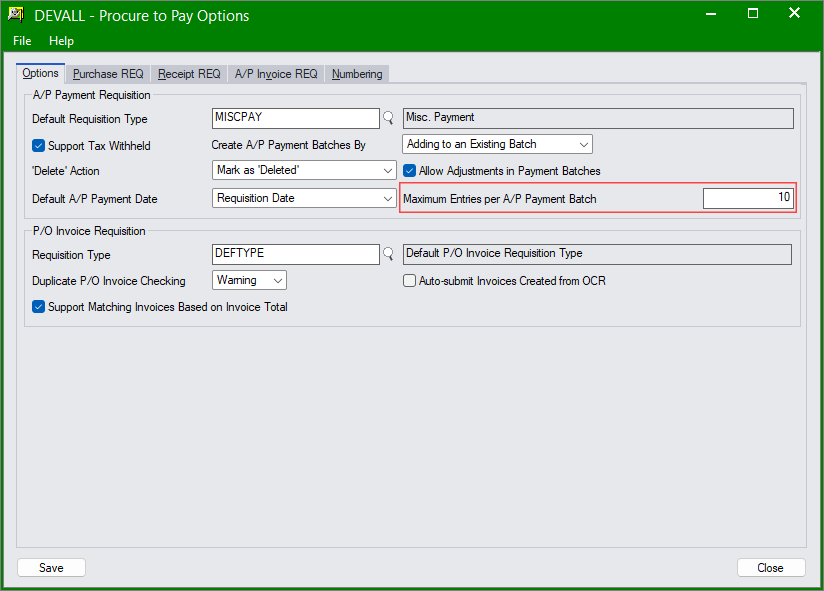
Configurable Maximum Entries per A/P Payment Batch
Added the ability to define the maximum number of entries allowed in each A/P Payment Batch generated from Resource Manager.
Password Policy
1. Centralized Password Policy Configuration
Moved the 'Password Policy' setting from Entity to ESS Portal Options, eliminating the need to configure the password policy individually
for each entity.
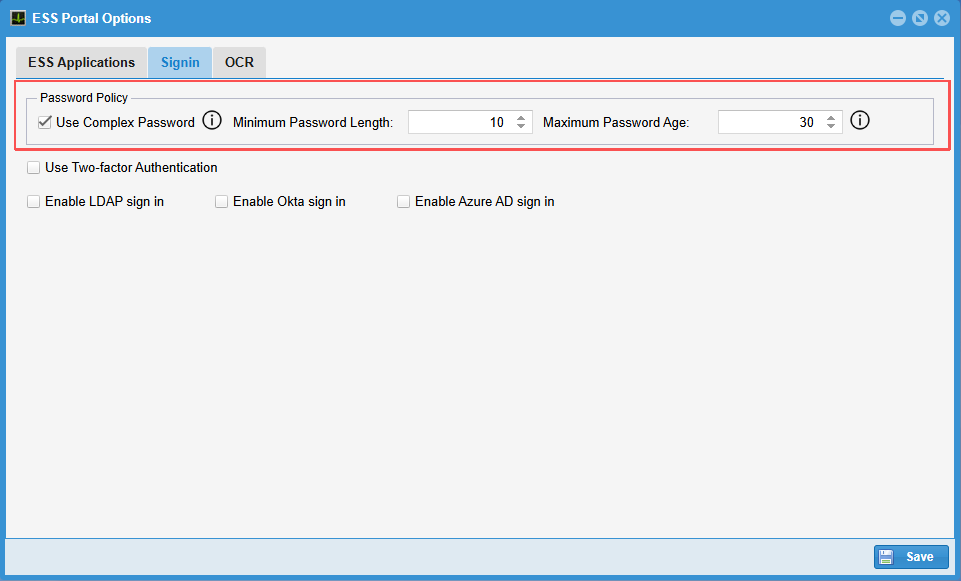
2. Enhanced Complex Password Requirements
When the 'Complex Password' policy is selected, ESS user passwords must contain all four types of characters: uppercase letters,
lowercase letters, numbers, and special characters.
Sage 300 Integration
Resource Manager 2026 PU1 integrates with the following Sage 300 versions:
● Version 6.0 ● Version 2012 ● Version 2014
● Version 2016 ● Version 2017 ● Version 2018
● Version 2019 ● Version 2020 ● Version 2021
● Version 2022 ● Version 2023 ● Version 2024
● Version 2025 ● Version 2026 ● Version 2027